Guide · Forks
How to fork Bitcoin in 2026: what to change and why
Forking Bitcoin means copying its open-source code and turning it into a new coin with its own network and rules. Most tutorials online were written for code that is years old, so they tell you to edit things that no longer exist. This guide walks through every change against the 2026 code, in plain English.

By Abraham, Blockchain researcher
Updated · 9 min read
Before we start
Which one sounds like you?
What's inside
7 chapters. Read it start to finish, or jump to the part you need.
 Chapter 1Before you start: what "forking Bitcoin" meansThe word fork means two different things. You want the first one: a copy of the code that becomes a new network.
- Chapter 2Change the network identityIf your coin still looks like Bitcoin on the network, your nodes will try to talk to Bitcoin. Here is everything that must change.
 Chapter 3Change the rules: supply and block timeThis is where your coin becomes different. Bitcoin and Litecoin side by side, and a calculator to test your own numbers.
 Chapter 4Make a new genesis blockBlock zero is written into the code. A new coin needs its own, and that means finding a valid nonce.
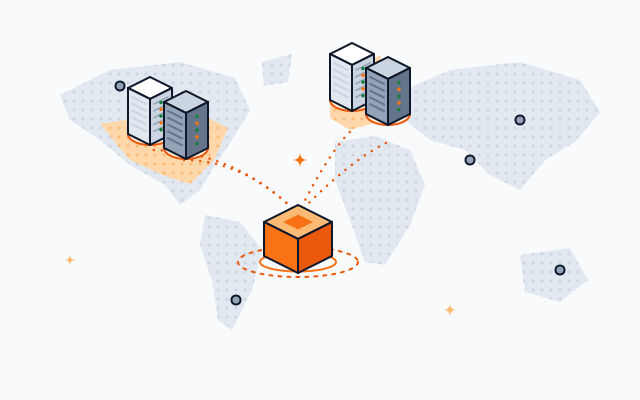 Chapter 5Reset the chain history dataBitcoin Core ships with facts about Bitcoin's real chain. A new coin has none of that history yet.
 Chapter 6Build it and start your networkBitcoin Core moved to CMake in version 29. Litecoin Core still uses the old way. Then two nodes and your first blocks.
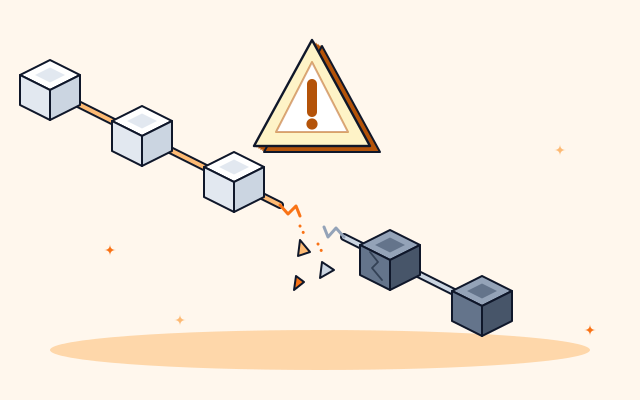 Chapter 7Common mistakes, and the shortcutThe six things that break most first forks, and how to skip the whole process.
The short answer
The short answer
To fork Bitcoin, download the Bitcoin Core source code, then change its network identity (message start bytes, ports, address prefixes and seed nodes), its supply rules (block reward, halving interval, block time), and create a new genesis block. Reset the data that describes Bitcoin's own chain history, build the code, and run at least two nodes.
- Step 1: Get the codeBitcoin Core is open source under the MIT license.
- Step 2: Change the network identityMessage start bytes, ports, address prefixes, seed nodes.
- Step 3: Change the rulesBlock reward, halving interval, block time.
- Step 4: Make a new genesis blockNew timestamp text, then find a valid nonce.
- Step 5: Reset the chain history dataMinimum chain work, assume-valid and snapshot data.
- Step 6: Build itBitcoin Core now builds with CMake.
- Step 7: Run your networkAt least two nodes, then mine the first blocks.
- Step 8: Add explorer and walletsSo people can actually use the coin.
Each step hides a trap that breaks most first attempts. Here they are, one by one.
1Chapter 1
Before you start: what "forking Bitcoin" means
The word fork means two different things. You want the first one: a copy of the code that becomes a new network.
People use "fork" for two different things, and mixing them up causes a lot of confusion:
- This guideA code forkYou copy the code, change it, and start a brand new network with its own genesis block and no shared history. Litecoin and Dogecoin started like this.
- Not this guideA chain splitA live network splits in two and both sides keep the shared history. Bitcoin Cash split from Bitcoin at block 478,558 on 1 August 2017.
Copying the code is allowed. Bitcoin Core is published under the MIT license, which lets anyone use, change and distribute it, as long as the copyright and license notice stay in the code.
2Chapter 2
Change the network identity
If your coin still looks like Bitcoin on the network, your nodes will try to talk to Bitcoin. Here is everything that must change.
In current Bitcoin Core, the chain settings live in src/kernel/chainparams.cpp. Older tutorials say src/chainparams.cpp, because that is where the file used to be. These are the values that tell the world "this is Bitcoin":
| Setting | Bitcoin uses | What it does | Change it to |
|---|---|---|---|
| Message start bytes | 0xf9 0xbe 0xb4 0xd9 | Marks every message between nodes | Four new bytes, so your nodes ignore Bitcoin and the other way round |
| Network port | 8333 | Where nodes listen for each other | An unused port |
| RPC port | 8332 (set in chainparamsbase.cpp) | Where wallets and tools talk to the node | An unused port |
| Address prefix | 0, so addresses start with 1 | The first character of normal addresses | A new value, so your addresses look different |
| Script address prefix | 5, so addresses start with 3 | The first character of script addresses | A new value |
| Bech32 prefix | bc (addresses start bc1) | The prefix of modern addresses | Your own short code |
| DNS seeds | Seven seed hosts | Where new nodes find their first peers | Your own nodes or seed hosts |
Address prefixes matter for safety, not just looks. If your coin keeps Bitcoin's prefixes, a user can paste your address into a Bitcoin wallet, and it will look valid.
3Chapter 3
Change the rules: supply and block time
This is where your coin becomes different. Bitcoin and Litecoin side by side, and a calculator to test your own numbers.
The supply rules sit in the same file, under the consensus settings. Litecoin is the best example of a fork that changed them, so here are both:
| Setting | Bitcoin | Litecoin | What it controls |
|---|---|---|---|
| Halving interval | 210,000 blocks | 840,000 blocks | How often the block reward halves |
| Block time target | 10 minutes | 2.5 minutes | How often a new block should arrive |
| Difficulty timespan | Two weeks | 3.5 days | How often mining difficulty is recalculated |
| Starting reward | 50 coins | 50 coins | New coins per block at launch |
| Proof of work | SHA-256 | Scrypt | The mining puzzle |
| Network port | 8333 | 9333 | See chapter 2 |
Litecoin cut the block time by four and multiplied the halving interval by four, so halvings still come about every four years and the final supply is four times Bitcoin's. Try the same idea yourself:
Coin supply calculator
How often a new block is found. Shorter means faster payments.
New coins paid to the miner or validator of each block at launch.
The reward is cut in half this often. Use 0 for a reward that never changes.
Coins created at launch before anyone mines. Use 0 for a fair launch.
A hard limit on all coins ever created. Leave empty for no limit.
Coins in existence, by years since launch
| Year | Coins in existence |
|---|---|
| 0 | 0 |
| 5 | 11,820,000 |
| 10 | 17,070,000 |
| 15 | 19,365,000 |
| 20 | 20,345,625 |
| 25 | 20,714,063 |
| 30 | 20,877,656 |
| 35 | 20,949,141 |
| 40 | 20,979,609 |
- After 1 year
- 2,628,000
- After 4 years
- 10,506,000
- Final supply
- 21,000,000
- 99 percent mined by
- Year 27
About 144 blocks a day, 7,200 new coins a day at the starting reward.
Try these rules on a real chain: open the blockchain builderSource
4Chapter 4
Make a new genesis block
Block zero is written into the code. A new coin needs its own, and that means finding a valid nonce.
The genesis block is the first block of a chain, hard-coded in chainparams.cpp. In Bitcoin Core it is created by a single line:
**CreateGenesisBlock(1231006505, 2083236893, 0x1d00ffff, 1, 50 * COIN)**
- 1231006505The timeA Unix timestamp: 3 January 2009.
- 2083236893The nonceThe number that made the block hash valid.
- 0x1d00ffffThe difficultyThe target the hash had to beat (nBits).
A block header has six fields: version, previous block hash, merkle root, time, nBits (the difficulty target) and nonce. Change anything in the genesis block, such as the timestamp text, and its hash changes. The old nonce no longer produces a valid hash, so you must search for a new one, the same way miners search for every block.
- Write new timestamp text. Bitcoin's quotes a newspaper headline. Yours can be anything, ideally something that proves the date.
- Set a new time (a Unix timestamp) and keep a sensible difficulty for the search.
- Search for a nonce whose block hash meets the target. The lower the genesis difficulty you choose, the faster the search.
- Update the two checks. Bitcoin Core asserts the expected genesis hash and merkle root. Replace both with your new values, or the node refuses to start.
5Chapter 5
Reset the chain history data
Bitcoin Core ships with facts about Bitcoin's real chain. A new coin has none of that history yet.
To sync faster and safely, Bitcoin Core includes data about Bitcoin's own history. A new chain must reset all of it, or nodes will wait for a history that does not exist:
| Setting | What it is | For a new coin |
|---|---|---|
| Minimum chain work | The least total work a valid chain must have | Zero at launch, raise it later |
| Assume valid | A known good block whose history can skip some checks | Empty or your own genesis at launch |
| Assume UTXO data | Snapshots that let new nodes start faster | Remove; add your own much later if ever |
| Chain transaction data | Statistics used to estimate sync progress | Your own figures, or zero |
6Chapter 6
Build it and start your network
Bitcoin Core moved to CMake in version 29. Litecoin Core still uses the old way. Then two nodes and your first blocks.
This is the other reason old tutorials fail. Bitcoin Core's 29.0 release notes say the build system "has been migrated from Autotools to CMake". Commands like ./autogen.sh and ./configure no longer apply to current Bitcoin Core.
- Bitcoin Core todayCMakecmake -B build, then cmake --build build. The build guide recommends at least 1.5 GB of memory.
- Litecoin Core todayAutotools./autogen.sh, ./configure, then make. Still the classic way.
- Node 1Start the first nodeWith your new genesis block and an empty data folder.
- Node 2Start a second node elsewherePoint it at the first, so the chain survives if one stops.
- Block 1Mine the first blocksWith a low starting difficulty, the first blocks come quickly even with little mining power.
- Go liveExplorer and walletsSo anyone can check the chain and hold the coin.
From here, the rest is the same as for any new coin: an explorer, wallets, a mining pool, and a community. The complete guide to creating a cryptocurrency covers all of it.
7Chapter 7
Common mistakes, and the shortcut
The six things that break most first forks, and how to skip the whole process.
- Same message start bytesYour nodes can end up talking to Bitcoin nodes instead of each other.
- Forgot the RPC portIt lives in chainparamsbase.cpp, not chainparams.cpp.
- Old genesis assertsThe node refuses to start because the hashes do not match.
- Bitcoin's chain data left inNodes wait for a history that does not exist.
- Following an Autotools guideCurrent Bitcoin Core builds with CMake.
- One node onlyIf it stops, your whole chain stops.
Or skip all of it.
Our builder makes every change in this guide from your choices: a new network ID, ports, address format and genesis block, your supply rules, and running nodes with an explorer and wallets if you want them. It starts at $149 one-time and deploys in about 30 minutes.
Questions people ask
Is it legal to fork Bitcoin?
Copying and changing the code is allowed: Bitcoin Core is MIT licensed, as long as you keep the copyright and license notice. Selling the resulting coin to the public can be regulated, so that part is a question for a lawyer.
Where are the chain parameters in Bitcoin Core?
In src/kernel/chainparams.cpp in current versions. The RPC port is set separately in src/chainparamsbase.cpp. Older guides point to src/chainparams.cpp, where the file used to be.
Do I have to mine a genesis block?
Yes. If you change anything in the genesis block, its hash changes, so you need to find a new nonce that meets the difficulty target and update the asserted hash and merkle root.
Why do my forked nodes connect to Bitcoin?
Usually because the message start bytes, ports or DNS seeds were left unchanged. Change all of them so your network is separate.
Should I fork Bitcoin or Litecoin?
Bitcoin uses SHA-256 mining and 10 minute blocks; Litecoin uses Scrypt and 2.5 minute blocks. If you want faster blocks or a different mining algorithm, Litecoin is a natural base. Both work the same way when forking.
How do I build Bitcoin Core after forking it?
Current Bitcoin Core builds with CMake: cmake -B build, then cmake --build build. Version 29.0 replaced the old Autotools build.
What is the difference between a fork and a chain split?
A code fork copies the code and starts a new chain with its own genesis block. A chain split happens when a live network divides and both sides keep the shared history, like Bitcoin Cash in August 2017.
Read next
- How to create a cryptocurrencyThe complete guide, from coin or token to launch day.
 Proof of work vs proof of stakeShould your fork keep mining, or switch to staking?
 Create a blockchain with RocketRPCThe same fork, done for you, with nodes and an explorer.
 GlossaryGenesis block, nonce, halving and more, in one line each.
Sources
- Bitcoin Core, src/kernel/chainparams.cpp, message start bytes, port, prefixes, seeds, consensus values, genesis block and chain data
- Bitcoin Core, src/chainparamsbase.cpp, RPC port 8332
- Bitcoin Core 29.0 release notes, migration from Autotools to CMake
- Bitcoin Core, build guide for Unix
- Bitcoin Core, COPYING (MIT license)
- Litecoin Core, src/chainparams.cpp
- Litecoin Core repository, Autotools build
- Bitcoin developer reference, block chain, block header fields
- Bitcoin Wiki, list of address prefixes
- Bitcoin Core issue 32261, genesis block location question
- bitcoincash.org, split at block 478,558 on 1 August 2017